
ERP for manufacturing.Built around your factory.
From sales orders and BOMs to purchase, stores, production, quality and accounts: 100xERP connects every step of your factory in one cloud ERP. Answer a few questions to see which modules fit your operation.
Where factories lose time, stock and margin
Disconnected spreadsheets and separate software hide the information your team needs. These are the gaps 100xERP is built to close.
Production delays
Schedules slip because nobody can see capacity, material and work-order status in one place.
See the Production & manufacturing moduleMaterial shortages
Work stops for a missing component while other items sit as excess stock.
See the Inventory moduleLast-minute purchasing
Purchase starts when the shortage is already on the shop floor.
See the Purchase moduleQuality and rework
Rejections are found late and inspection records live on paper.
See the Quality control moduleUnclear job costs
Sales are growing, but the real margin on each order or batch is unknown.
See the Finance & accounting moduleSlow management reports
Owners wait for spreadsheets to be consolidated before they can decide.
See the AI reporting & BI moduleOne connected flow, from order to margin
Information entered once moves through every department, so stock, work orders, quality records and costs stay in step.
Customer demand
Sales orders and forecasts
BOM & MRP
Material planning
Procurement
Requisitions, POs, GRN
Production
Work orders and WIP
Quality
Inspect, hold, rework
Finished stock
Stores and warehouses
Dispatch
Delivery and invoicing
Measure
Costs, margins, KPIs
17 ERP modules that work as one system
Start with the modules you need today and add more as you grow.
Operations
Production & Manufacturing ERP
BOM, MRP, work orders, routing and WIP in one flow.
Explore moduleInventory Management ERP
Live stock, batches, expiry and reorder control.
Explore modulePurchase Management ERP
Requisitions, approvals, POs and GRN.
Explore moduleQuality Control ERP
Incoming, in-process and final inspection.
Explore moduleWarehouse Management ERP
Bins, picking, transfers and multi-warehouse stock.
Explore moduleSupply Chain Management ERP
Demand, supply and fulfilment planning.
Explore moduleVendor Management ERP
Supplier onboarding, rating and collaboration.
Explore moduleAsset Management ERP
Asset register, preventive maintenance, service history.
Explore moduleBusiness
Sales & CRM ERP Software
Leads, quotations, orders and follow-ups.
Explore moduleFinance & Accounting ERP
Ledgers, GST, receivables, payables and costing.
Explore moduleHR & Payroll ERP
Attendance, shifts, leave and salary processing.
Explore moduleProject Management ERP
Milestones, tasks, budgets and project costing.
Explore moduleAI Reporting & Business Intelligence
Dashboards, KPIs and decision-ready reports.
Explore moduleService & control
Helpdesk ERP
Tickets, SLAs and customer support workflows.
Explore moduleField Service Management ERP
Technician scheduling, visits and service reports.
Explore moduleLogistics & Fleet ERP
Dispatch, trips, vehicles and delivery tracking.
Explore moduleDocument Management System (DMS) ERP
Controlled documents, versions and approvals.
Explore moduleNot sure where to start? Get a module shortlist in 2 minutes.
Choose your industry, production model and biggest challenges. FactoryFit ranks the modules that deserve a closer look, explains why, and turns your shortlist into a focused demo.
- Explainable, rule-based recommendations
- Edit the shortlist before you request a demo
- No sign-up needed to see results
Find the right modules in 2 minutes
Tell us about your factory. We will suggest a module shortlist and explain why.
ERP shaped around your industry
Industry-specific workflows for batches, lots, job work, recipes, heat numbers, sites and more.
Food & beverage ERP
Recipes, batches, FEFO and food-safety traceability.
See industry workflowDairy & milk processing ERP
Milk procurement, fat/SNF, processing and cold chain.
See industry workflowChemical ERP
Formulas, batches, QC and safety documentation.
See industry workflowPharmaceutical ERP
Batch records, QA/QC and full traceability.
See industry workflowSteel & metal ERP
Heat numbers, coils, yield and job work.
See industry workflowAutomotive components ERP
Schedules, PPAP-style quality and traceability.
See industry workflowElectronics ERP
Multi-level BOMs, serials and component control.
See industry workflowTextile & garments ERP
Lots, styles, job work and process tracking.
See industry workflowMining & heavy industries ERP
Fleet, equipment, production and safety records.
See industry workflowWhy businesses choose 100xERP for manufacturing
One platform, configured around how your team already works.
- One connected system for sales, purchase, inventory, production, quality and accounts
- Modular: start with the modules you need and add more as you grow
- Cloud-based and mobile-friendly, so teams update work from the shop floor or site
- Configurable workflows, approvals and role-based access
- Built-in reports and dashboards for owners and managers
- Guided onboarding with data migration and team training
How we get you live
- Requirement discoveryWe study your workflows, documents and current systems.
- Module selectionChoose the modules that match your priorities, and map features to your process.
- Data migration & configurationMasters and opening balances are imported, then workflows are configured and tested.
- Training & go-liveRole-based training, a phased go-live and continued support.
Practical ERP guides for manufacturers
Plain-language explanations of modules, workflows and industry processes.
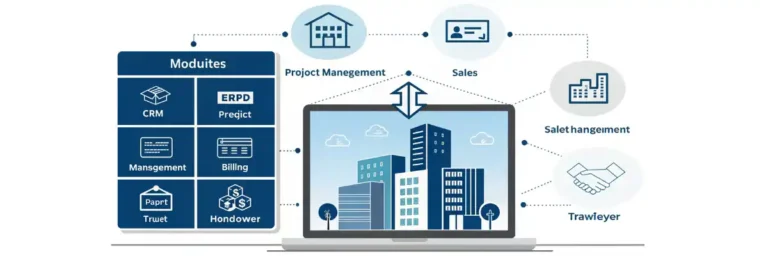 Industry ERPERP for Real Estate & Property Developers: CRM, Project Management, Sales, Billing & Handover (2026 Guide)2 min read
 Industry ERPERP for Construction & Contractors: Project Planning, BOQ, Materials, Labour, Billing, Compliance & Site Execution (2026 Guide)2 min read
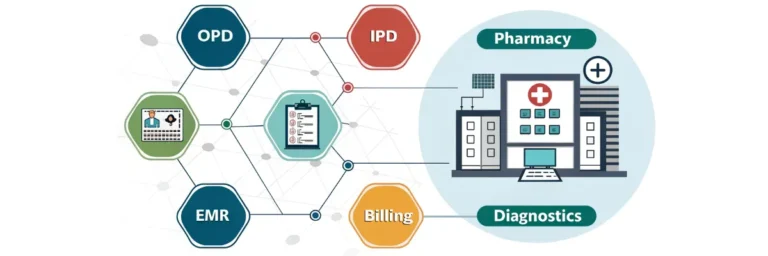 Industry ERPERP for Hospitals & Healthcare: OPD, IPD, Pharmacy, EMR, Billing, Diagnostics & Patient Management (2026 Guide)2 min read
No guides match your search.
Manufacturing ERP questions, answered
What owners and plant heads ask us most often.
What is manufacturing ERP?
Manufacturing ERP is one system that connects sales orders, bills of materials, material planning, purchase, inventory, production, quality, dispatch and accounts. Each department works on the same data, so stock, work orders and costs stay up to date without re-entering information.
Which 100xERP modules does a manufacturer need first?
Most factories start with production, inventory, purchase and finance, then add quality, warehouse, maintenance or reporting as needed. The module finder suggests a shortlist based on your industry, production model and biggest problems.
Is 100xERP suitable for small manufacturers?
Yes. 100xERP is modular, so a small factory can begin with the essentials and add modules as volumes, locations and teams grow.
Can 100xERP handle batch, job-order and discrete production?
Yes. Discrete, process or batch, job-order and mixed production models can be configured, including BOM versions, routing, batch or lot tracking and job costing.
Is 100xERP cloud-based?
Yes. 100xERP runs in a web browser, so authorised users can work from the office, the shop floor or a site, with role-based access to each module.
Can we move our data from Excel or accounting software?
Yes. Item masters, customers, suppliers, BOMs and opening balances are imported during onboarding and checked with your team before go-live.
How long does implementation take?
It depends on the modules, locations and data involved. After requirement discovery we share a phased plan covering configuration, data migration, training and go-live.
How do we get started?
Use the module finder for an instant shortlist, or book a demo. We study your workflow and show the modules working with examples from your industry.
See 100xERP working on your own process. Book a free demo.
Share your workflow and we will walk you through the modules that fit, using examples from your industry.